- In private beta
- Planned
How it works
From what was said to what gets done, in one chain. Each step is designed to point back to the one before it, so anything in it can be traced to where it was said or written.
Illustrative example Atlas launch
Follow the Atlas launch review from the calendar and prep brief through recording and review. Compare the pilot proposal before the call with the confirmed decision afterward. The later outbound illustrations show a separate planned flow, not a message sent from this meeting.
- Setup: the manual path
- You choose what comes in
- Know what is still open before the call
- Capture the conversation, not a verdict
- See what is confirmed and what needs review
- A current project state you can trust
- What needs you next
- A follow-up drafted from your confirmed records
- Sending is separate from confirming a record
- In private beta
Before step 1: start with notes you add yourself
Clarni is useful from the first note without an account, a recording permission, or an AI model: after you enter your beta license, you create an encrypted workspace with a passphrase and add the local model only when you choose.Status: In private beta
Clarni reads the calendar on your Mac, or a calendar file you import, shows each meeting in your agenda with its preparation, and never writes back to, invites from, or changes an external calendar.Status: In private beta
Optional, each by your choice: recording meetings and an AI model, which runs on your Mac. Without them you add the sources and notes yourself. The private beta has no connections to other tools.
Calendar context: reading the calendar on your Mac brings scheduled meetings into your agenda, each with its preparation, without creating external events or changing your remote calendar.
While you record, an optional meeting window can stay above your other apps with the transcript, outcomes, and your questions, and you can close it without stopping the recording.Status: In private beta
- In private beta
You choose what comes in
Start with the Atlas launch review in the read-only calendar. Its brief is ready and recording is off.
Clarni records your meetings and turns them into searchable transcripts with speaker labels on your own device; in the private beta, transcription runs on Macs with Apple silicon.Status: In private beta
In the private beta, AI actions run on the local model on your Mac unless you add a model server: one on your Mac is used without asking, unless the model it serves runs in the cloud, and one on your network or in the cloud is used for a feature only after you allow it, with each request shown to you first until you choose to always allow it. A meeting you recorded is summarised when it ends, on by default, and you can turn that off.Status: In private beta
What you control: You choose what to bring in and whether to record. Your calendar is not changed.
Design preview macOS Light
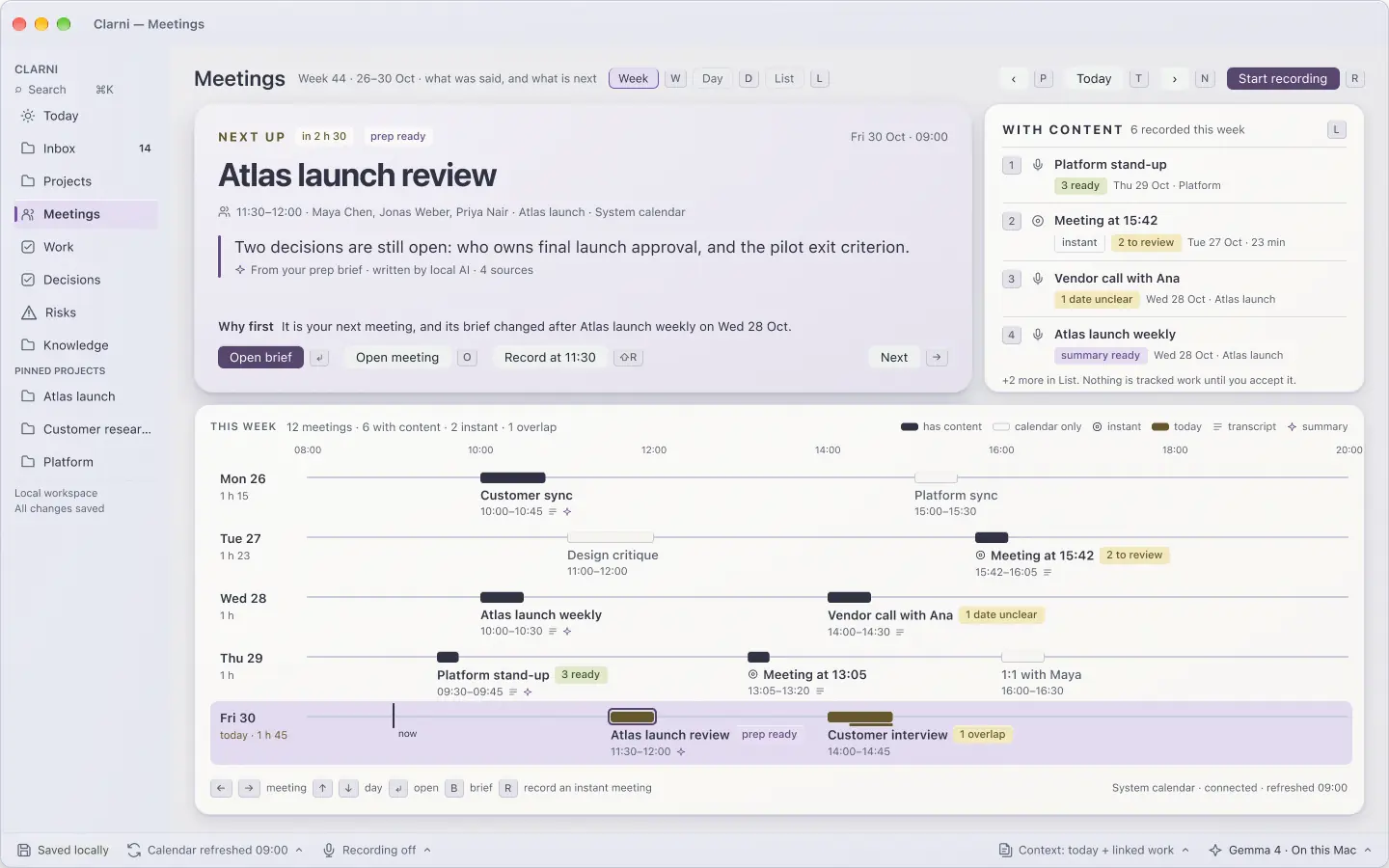
Detail — Selected meeting and prep status
Design preview macOS Dark
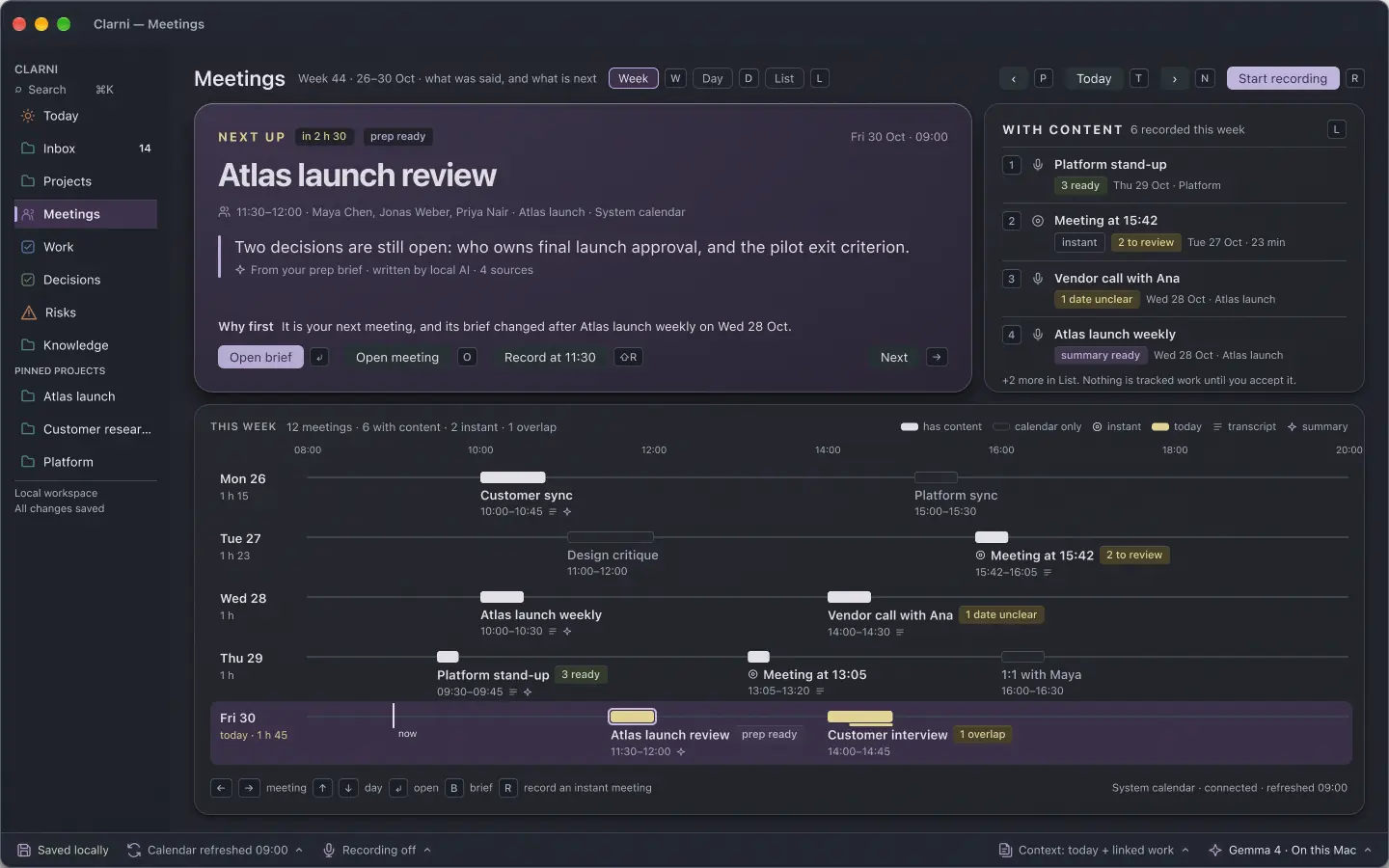
Detail — Selected meeting and prep status
- In private beta
Know what is still open before the call
The Atlas brief finds a pilot-first proposal, not a recorded decision. Legal sign-off is late.
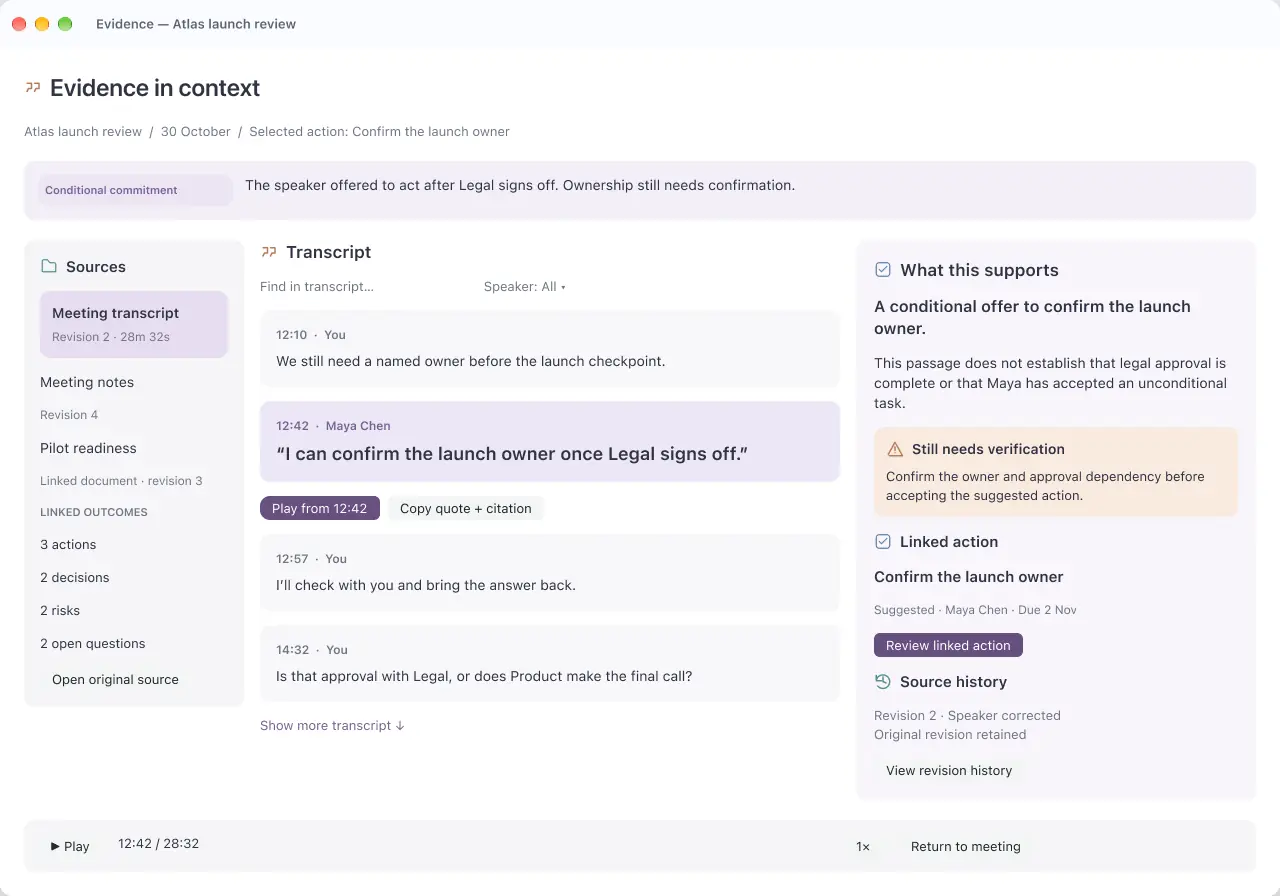
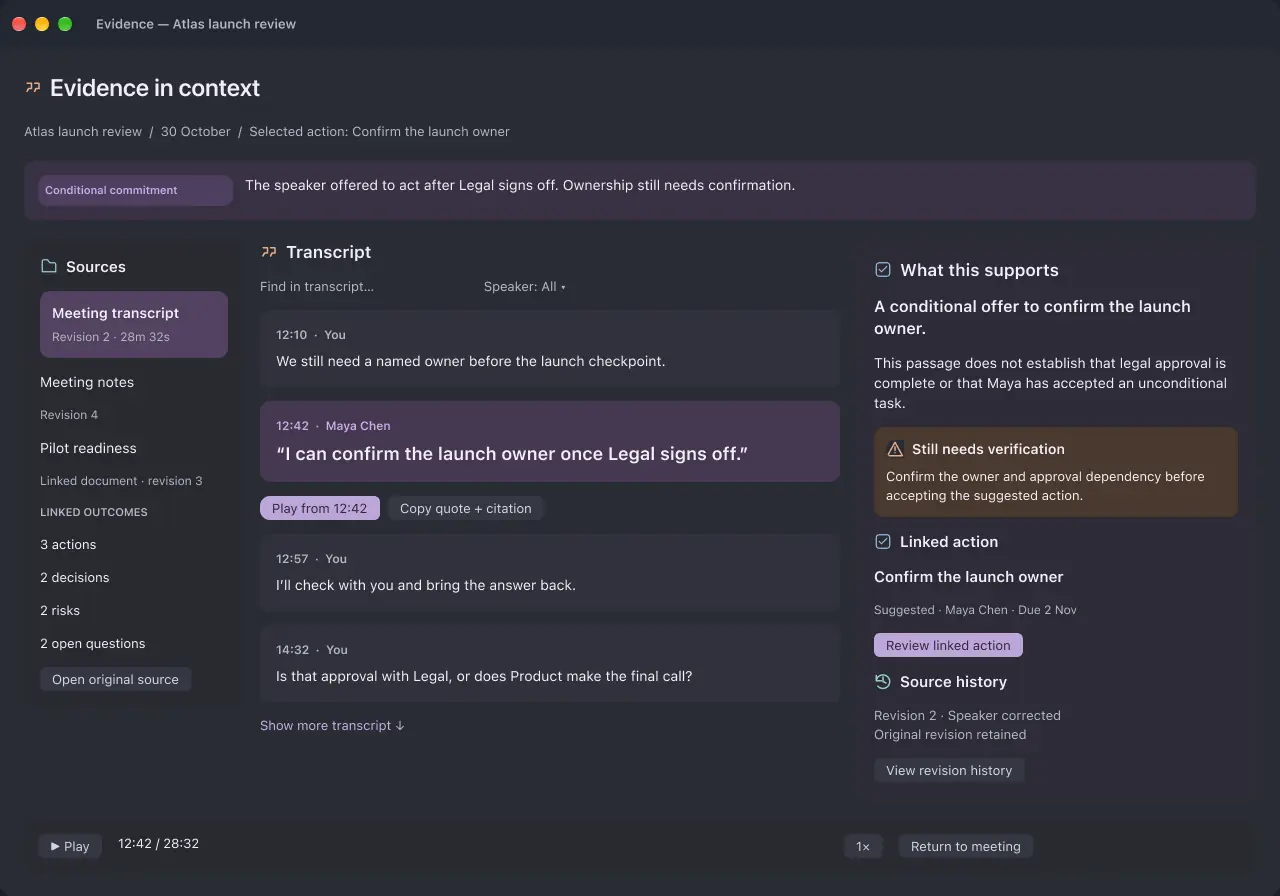
Each decision, commitment, or task can show the source it came from, such as the passage it was taken from or a meeting transcript excerpt with its timestamp.Status: In private beta
Before a meeting, a preparation brief brings back the previous meeting, open commitments and what changed since, each with its source, plus questions you can edit.Status: In private beta
What you control: Check the workspace sources and edit the questions. A missing record is not proof none exists.
Design preview macOS Light
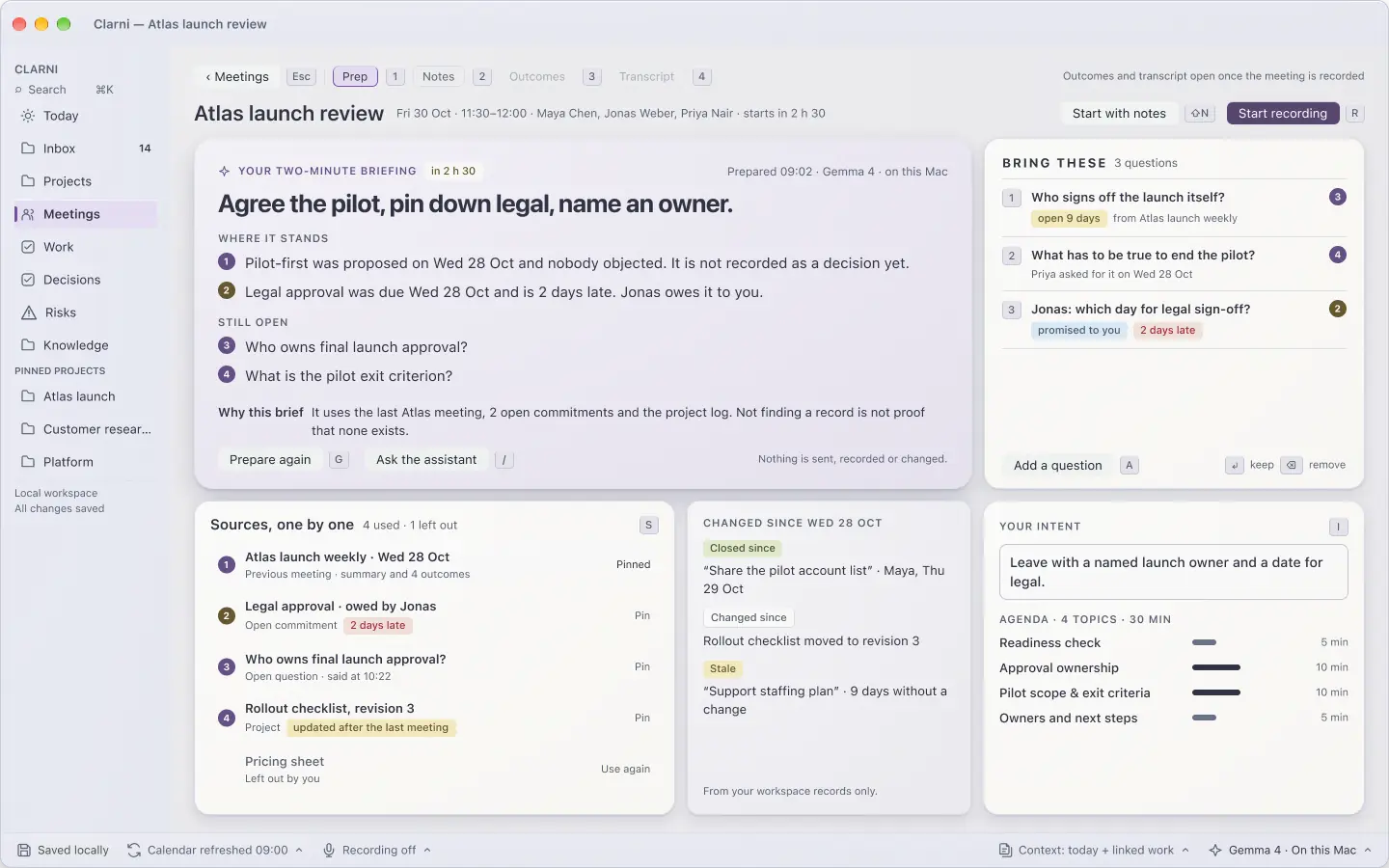
Detail — Open questions before the call
Design preview macOS Dark
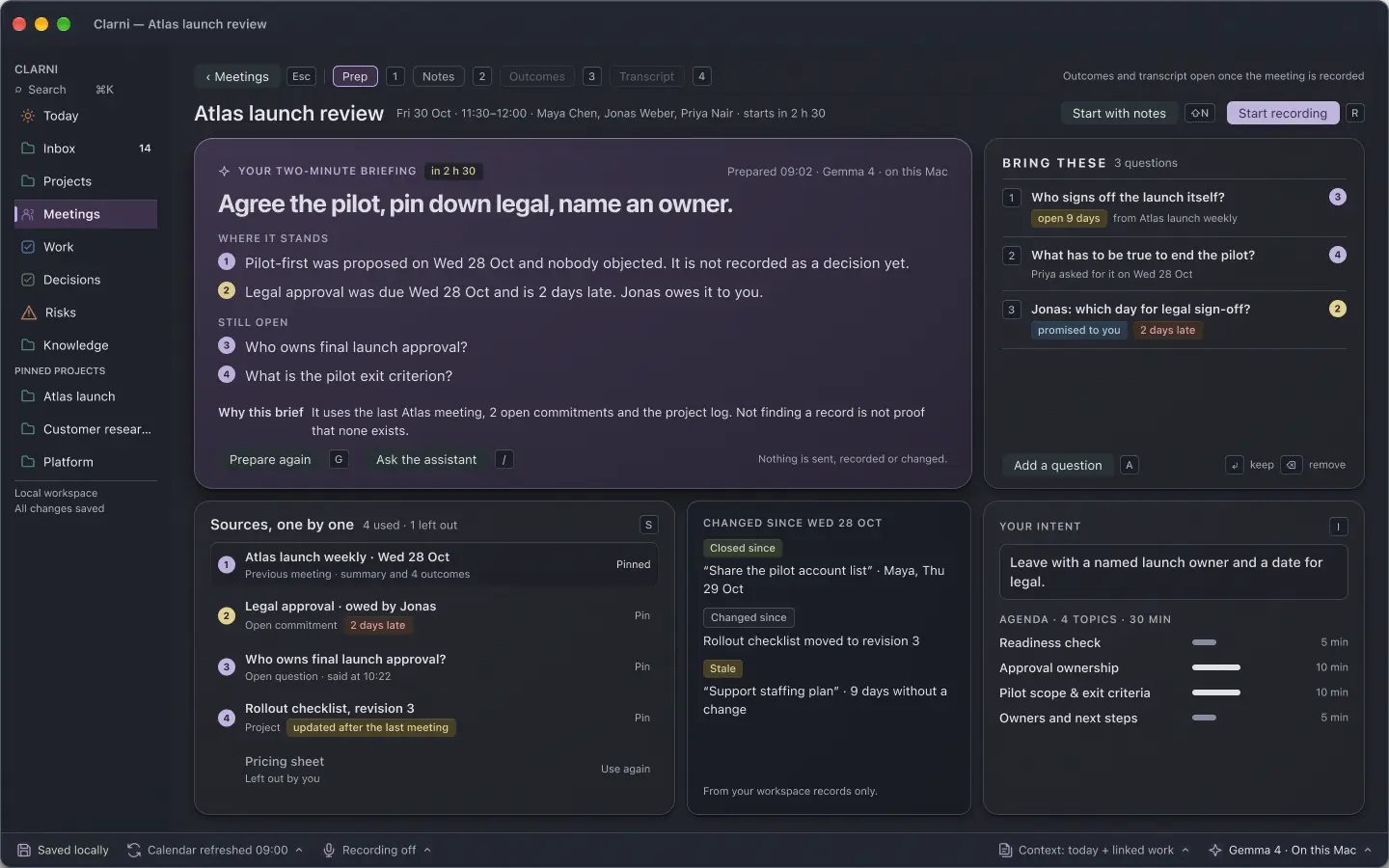
Detail — Open questions before the call
- In private beta
Capture the conversation, not a verdict
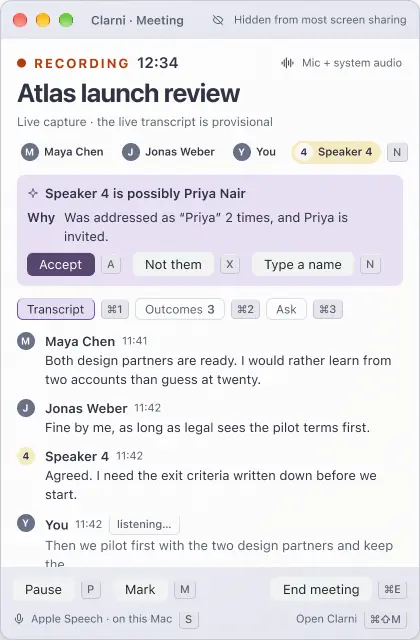
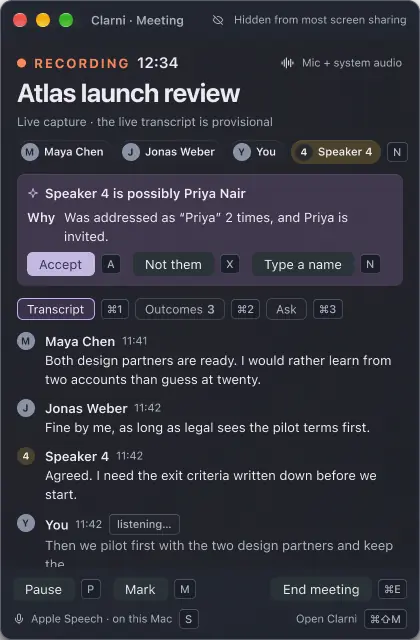
The Atlas review is recording in a compact desktop window. The transcript is provisional and a speaker label is unresolved.
AI-suggested commitments and tasks are proposals you review first; Clarni does not silently assign obligations.Status: In private beta
During a meeting, your own notes stay primary: the notes work without AI or a transcript, and a context card you pin for later waits in your Review-later list.Status: In private beta
What you control: You choose when to record and whether to accept a speaker label. Live text is not a confirmed outcome.
Design preview macOS Light
Design preview macOS Dark
- In private beta
See what is confirmed and what needs review
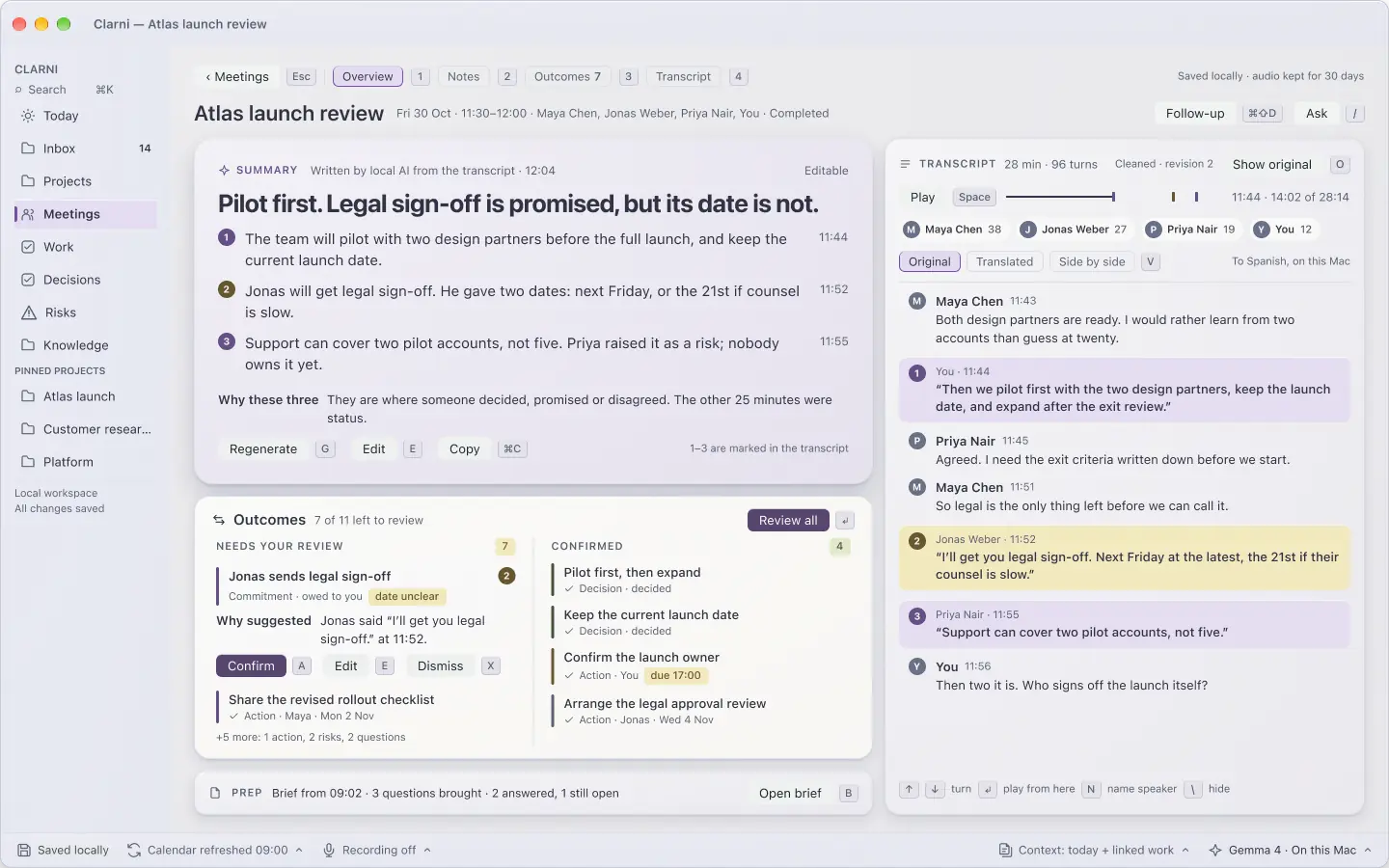
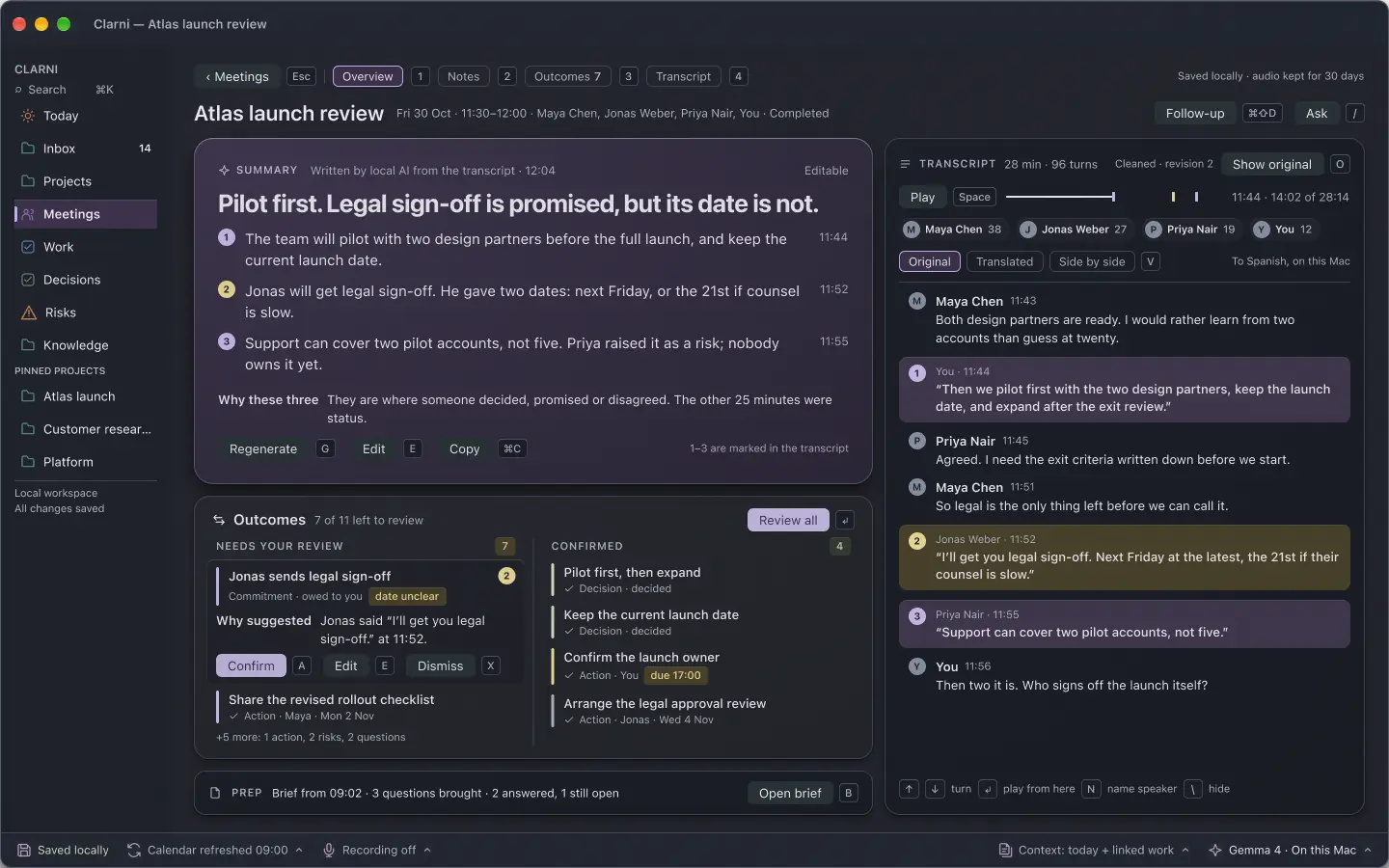
In the completed Atlas review, the two-partner pilot is already confirmed. The separate legal sign-off proposal still needs review.
Clarni turns what you capture into proposed decisions, commitments, tasks, and risks that each point back to their source, and you confirm each one.Status: In private beta
When a meeting ends, a summary is written on your Mac and its outcomes arrive in Review as proposals; nothing becomes a decision, commitment, or task, and no record changes, until you approve it.Status: In private beta
What you control: Extraction can be wrong. Check the source, then confirm, edit, or reject a proposal before it becomes a record.
Design preview macOS Light
Detail — Already confirmed pilot decision
Detail — Pending legal sign-off
Detail — Transcript opening at 11:44
Design preview macOS Dark
Detail — Already confirmed pilot decision
Detail — Pending legal sign-off
Detail — Transcript opening at 11:44
Five terms, kept apart
In the example, one call leads to all five. They are designed to stay distinct rather than blur into one list of action items.
- Decision
A choice that was made, with rationale and history.
Atlas launch: Pilot first with two design partners, then expand after exit review.
It changes the plan but asks nothing of anyone by itself. A later decision can supersede it, and the history is kept.
- Commitment
A promise by a person or team to deliver an outcome for someone.
Atlas launch: “Jonas sends legal sign-off” is still a proposal because the date is unclear.
It has an owner and someone it is owed to. A suggested commitment is designed to stay a proposal until you confirm it.
- Task
Tracked work that must happen.
Atlas launch: Book the partner demo slot.
It is the next piece of work, often following from a decision or a commitment. Clarni is not designed to replace your task tracker.
- Risk
A tracked threat to delivery.
Atlas launch: Support can cover two pilot accounts, not five.
It is something that could break the plan, not something anyone promised. It is tracked, not scored.
- Draft
A piece of communication drafted from a follow-up you track or a meeting’s confirmed outcomes, which you edit and copy out yourself.
Atlas launch: An editable follow-up recapping the pilot decision.
It is not a record of what was agreed; it is communication about it. In the private beta, Clarni cannot send it.
- In private beta
A current project state you can trust
What is true now across decisions, commitments, tasks, and risks, with the history of what changed and when.
A project ledger keeps a history of decisions and risks so you can see what changed over time.Status: In private beta
What you control: Trace an item back to its source. The evidence window illustrates a conditional check, not a confirmed owner.
Why not a meeting summary? A summary tells you what one meeting said. The project state is meant to tell you what is true now across every meeting and document, including what a later conversation changed.
Design preview macOS Light
Design preview macOS Dark
- In private beta
What needs you next
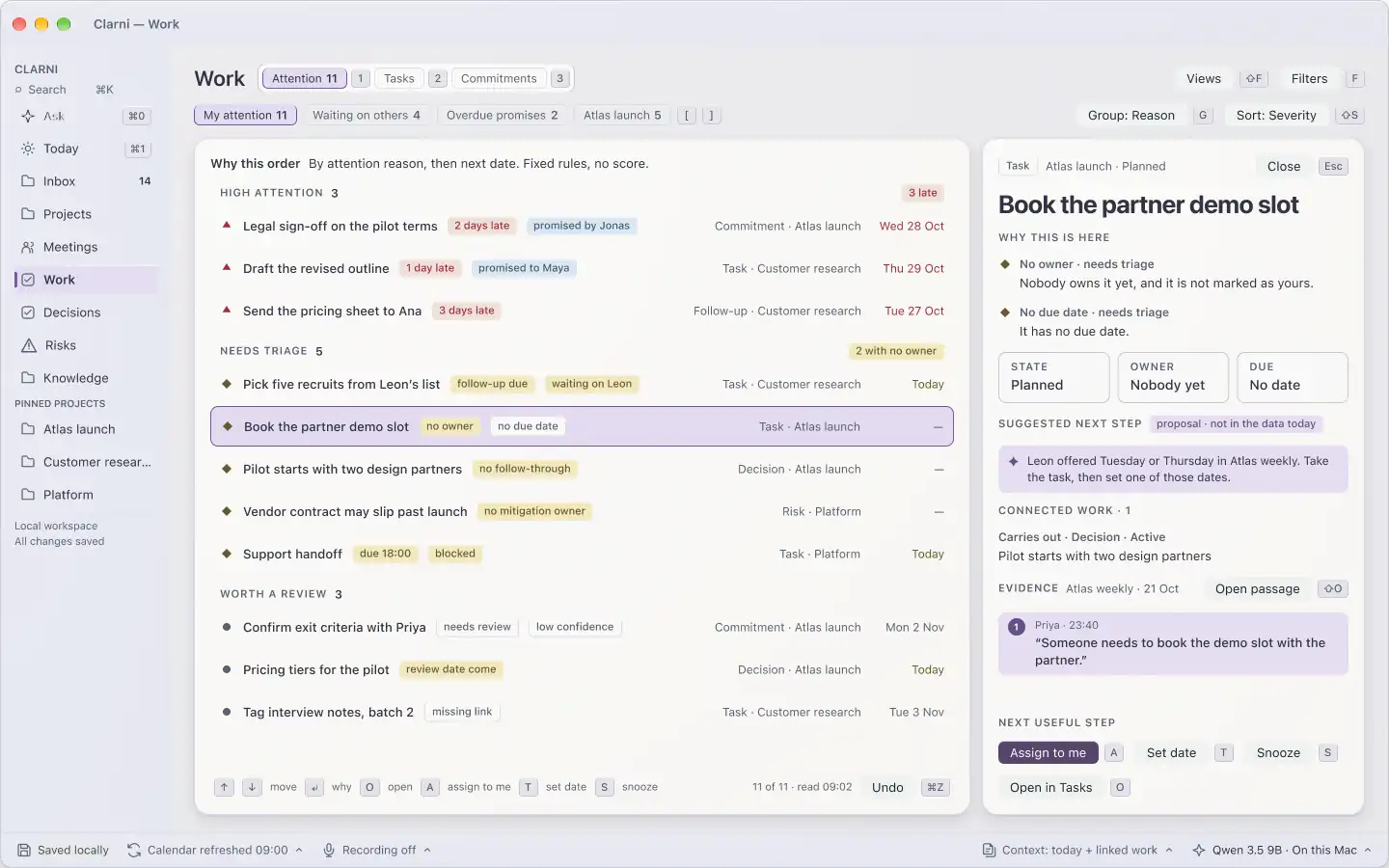
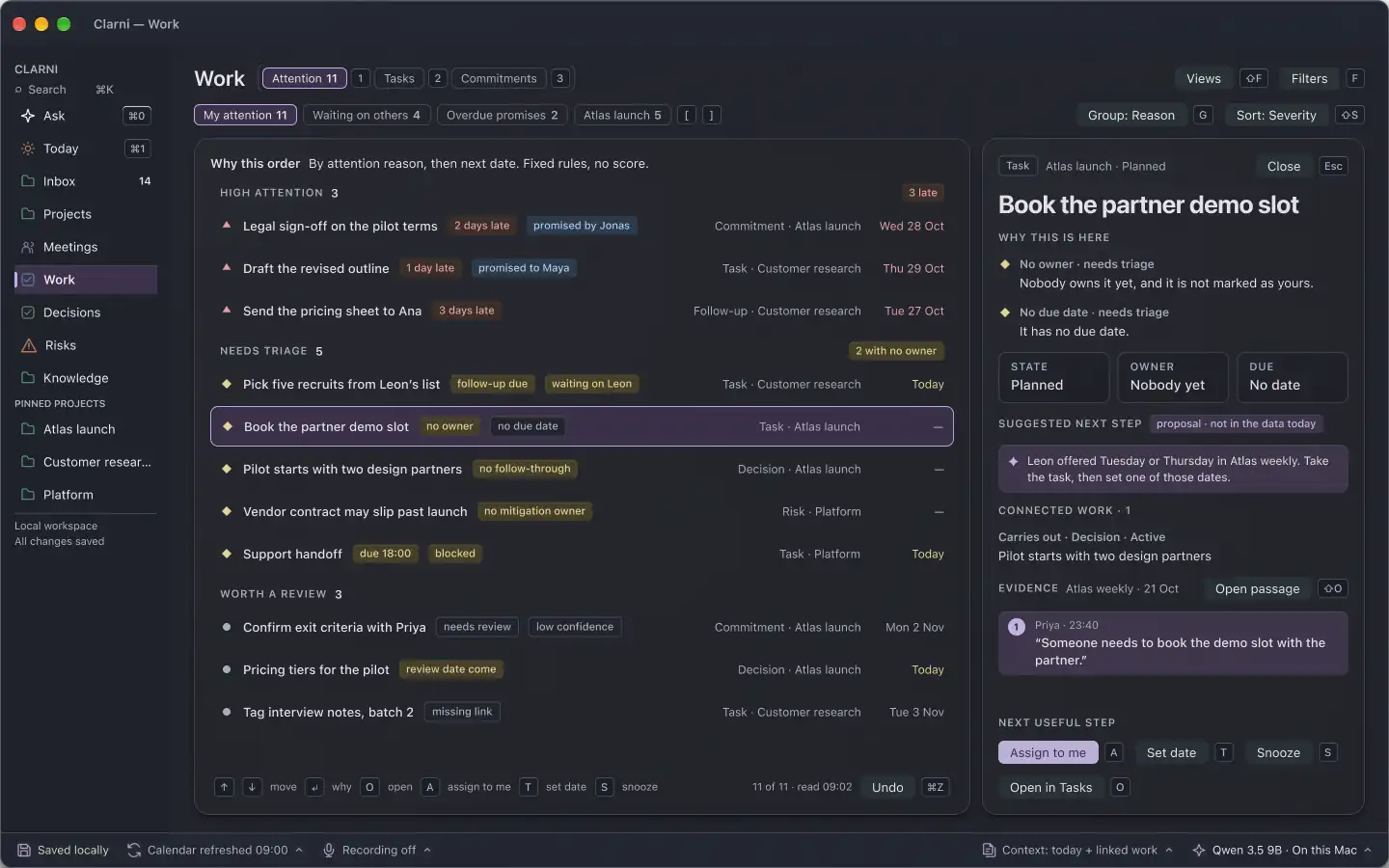
In Work, Attention brings forward items that need a look, such as commitments coming due and tasks with missing details, instead of a feed of everything.
Work’s Attention queue groups and sorts items by fixed rules and reasons. You can save local views with filters, sort order, and grouping, and trigger quick actions on individual records.Status: In private beta
What you control: The reasons tell you where to look. You decide whether to act.
Design preview macOS Light
Detail — Selected task and evidence
Design preview macOS Dark
Detail — Selected task and evidence
- In private beta
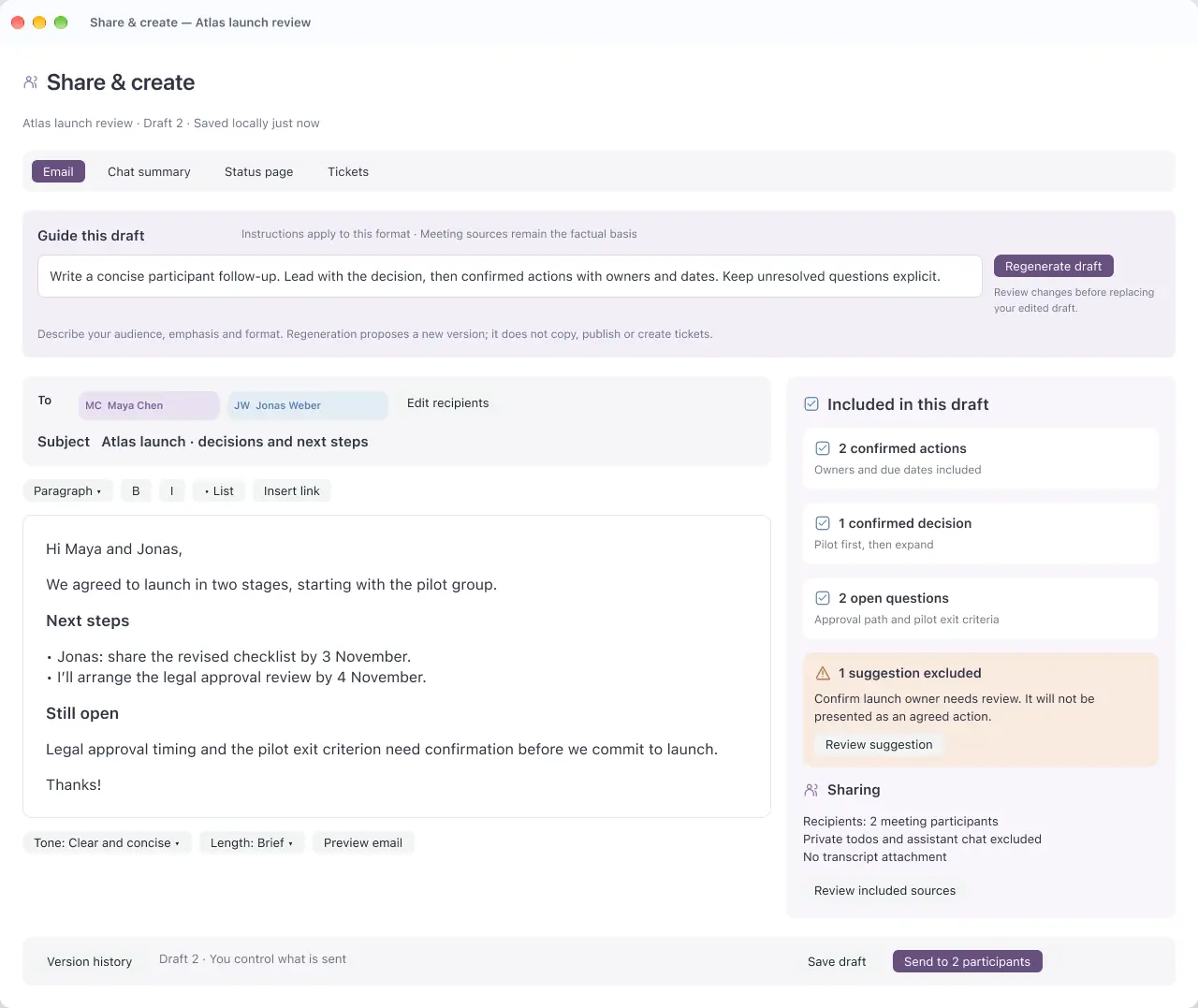
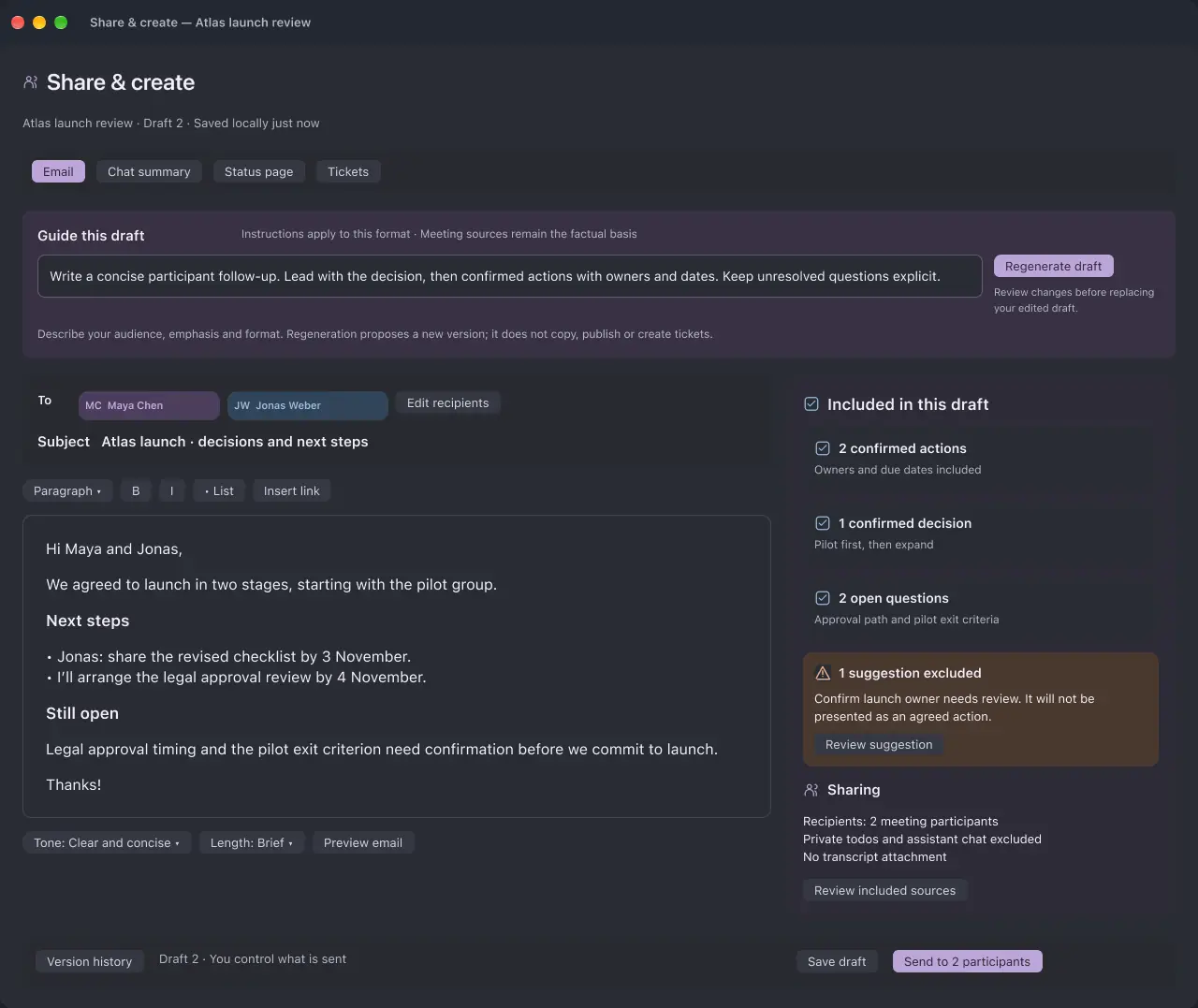
A follow-up drafted from your confirmed records
Start an editable local draft from a tracked follow-up or a meeting’s confirmed outcomes. The composer shown is a separate planned outbound example.
Clarni can draft a follow-up from a follow-up you are tracking or from a meeting's confirmed outcomes, on the local model; the draft stays editable on your device and you copy it out yourself.Status: In private beta
What you control: You edit every word, and you copy the draft out yourself. The draft view sends nothing.
Design preview macOS Light
Design preview macOS Dark
- In private beta
- Planned
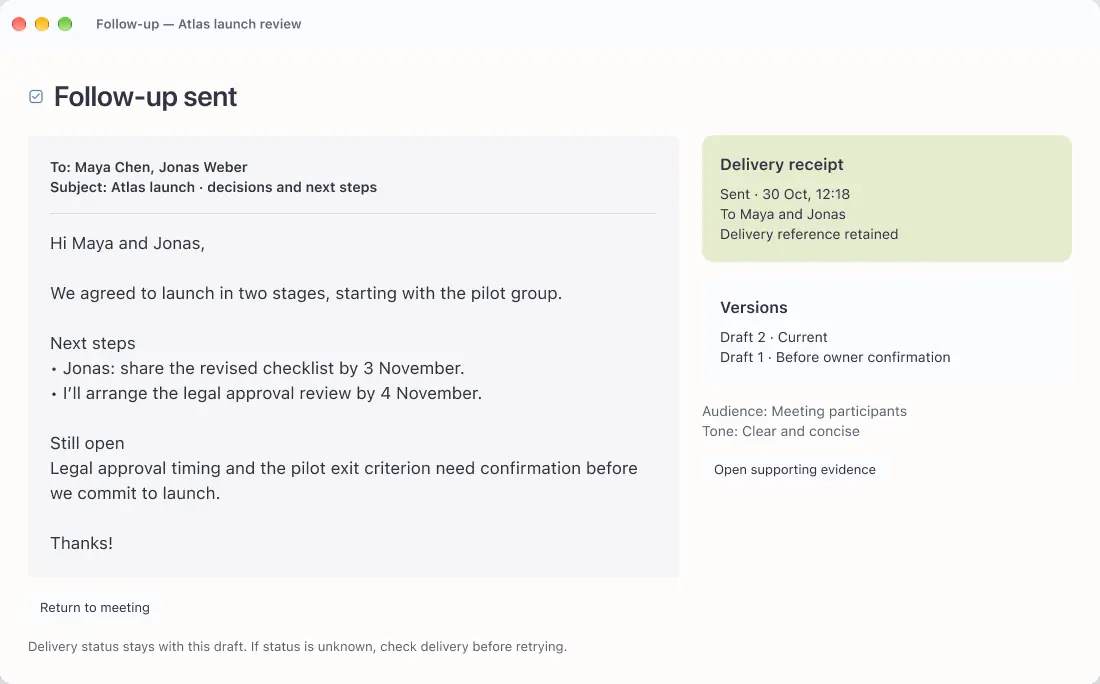
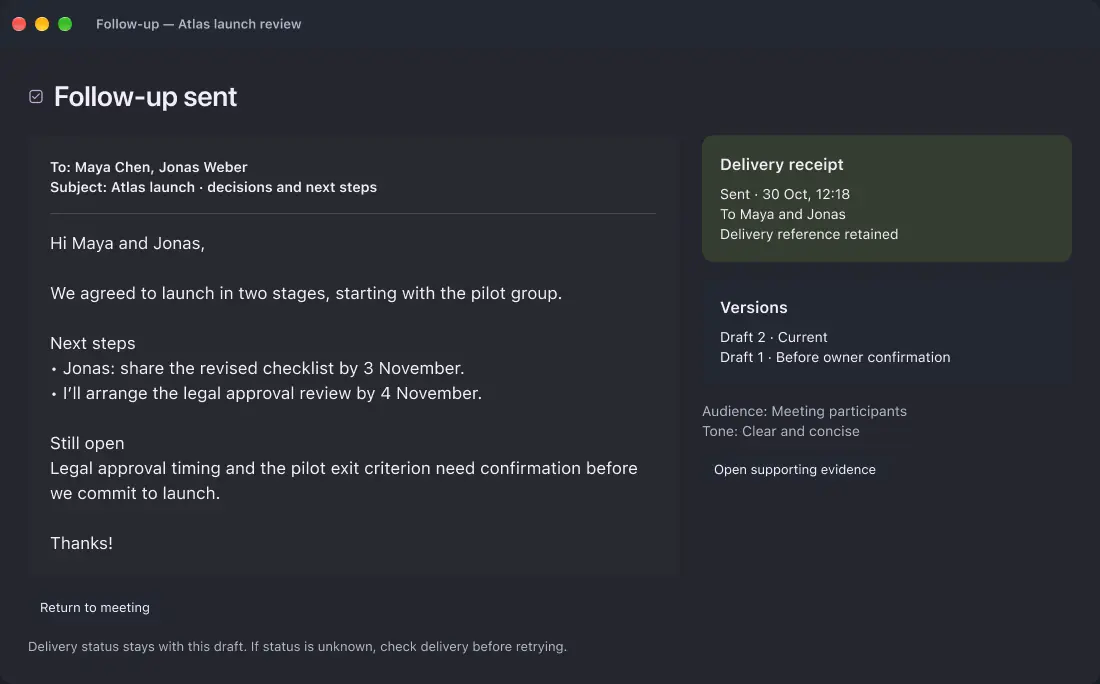
Sending is separate from confirming a record
The private beta cannot send. The receipt shown illustrates a separate planned outbound flow, not delivery from the Atlas review.
Clarni sends nothing to an email, chat, or document system on its own: in the private beta it has no way to send at all, and a draft leaves only when you copy it.Status: In private beta
When you choose to publish a reviewed draft or follow-up to a connected work tool, Clarni is designed to show the exact outgoing content and destination first, keep a local receipt, and never turn a one-time publish into ongoing sync without a separate, visible choice.Status: Planned
What you control: You send copied drafts yourself. Planned delivery would show exactly what goes where and ask for confirmation just before sending.
Design preview macOS Light
Design preview macOS Dark
- In private beta
The boundary at every step
In the private beta, work data stays on your device at every step, and AI runs on your Mac. A model server you add is used only for features you allow it for, and sending to other tools is planned, only by your choice.
In the private beta, your workspace stays on your own device, encrypted with your passphrase, and Clarni's AI runs on your Mac by default. Local by default. Nothing leaves your Mac unless you allow it.Status: In private beta
In the private beta, AI actions run on the local model on your Mac unless you add a model server: one on your Mac is used without asking, unless the model it serves runs in the cloud, and one on your network or in the cloud is used for a feature only after you allow it, with each request shown to you first until you choose to always allow it. A meeting you recorded is summarised when it ends, on by default, and you can turn that off.Status: In private beta
This describes the desktop app. What this website collects is a separate matter, described on the privacy page.
- Design direction
That is the whole chain
- Capture
- Prepare
- Stay Present
- Review
- State
- Attention
- Draft
- Approve
Request early access. A request is not a guarantee of a place in the private beta, or of a date.Status: Design direction